
Lab 1
Deploy AD DS Server
Publishd by :
Fadi Al Ibrahim
February 18, 2024


The Active Directory is a centralized database crucial for managing and organizing users, computers, and resources within a network. It streamlines user management processes, enables efficient access control, and facilitates the implementation of security measures and policy enforcement.
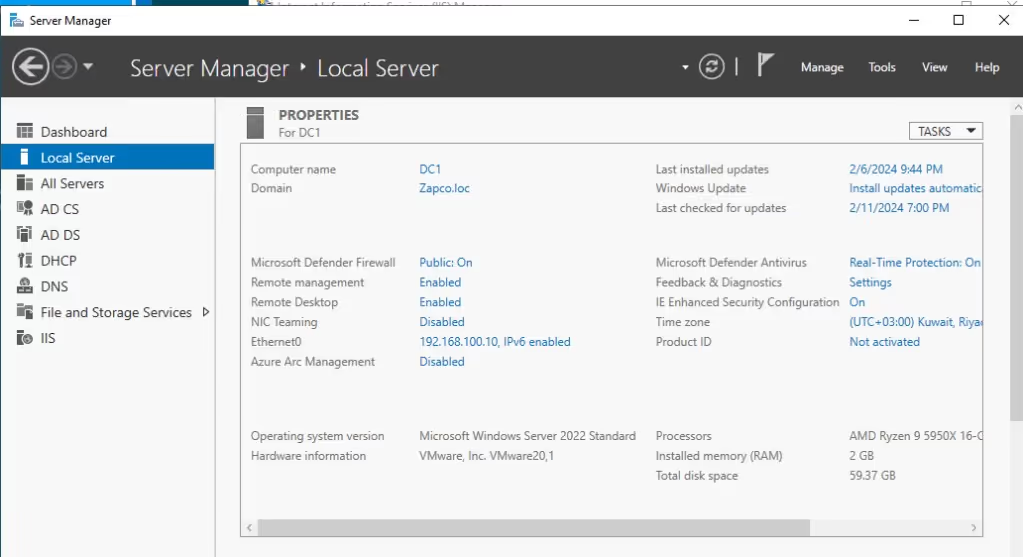
Additionally, it supports scalability, making it suitable for businesses of various sizes, serving as a cornerstone for efficient management of employees and assets within a company.In this lab I was able to deploy Windows Server 2022 as well as added roles and features for the following below:
• Active Directory domain services
• Active Directory Certificate Services
• DHCP • DNS
• IISDomain Name: Zapco.loc | Computer Name: DC1
Active Directory
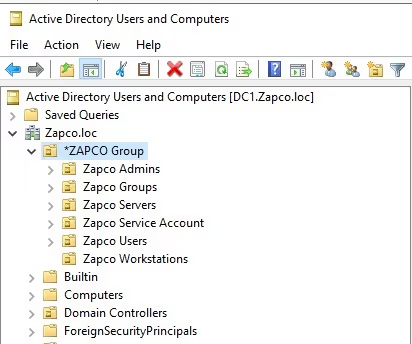
I improve management for users, groups, workstations, and admin users, it is recommended to segregate organizational units (OUs) in Active Directory. This segregation facilitates better organization and control over various elements within the network as shown below.
Multiple Domain Controllers
The presence of multiple domain controllers in an enterprise environment is essential for ensuring secure access to resources. Failover controllers play a critical role in maintaining continuous operations and data availability, thereby enhancing network reliability and fault tolerance. It is also advisable to have DHCP and other features on separate servers to eliminate single points of failure. In my test environment, I combined different features into one server due to its lab testing, despite the typical practice.
DHCP Server
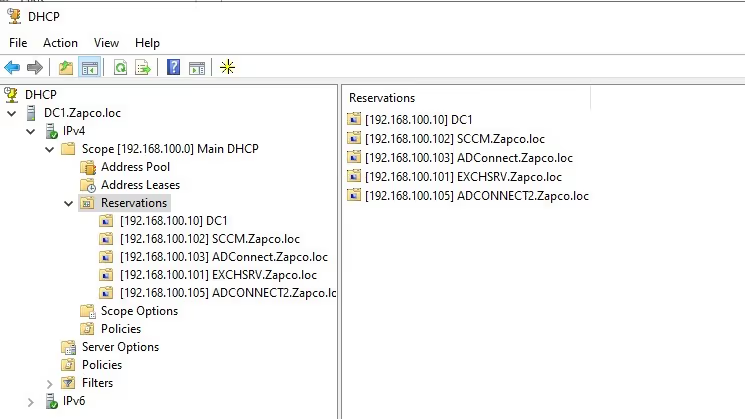
I configured a DHCP server to dynamically assign IP addresses, subnet masks, default gateways, and other IP parameters to network devices. This streamlines network administration, reduces conflicts from duplicate IP assignments, and enables efficient reclamation and reallocation of IP addresses as devices join and leave the network, enhancing the network’s flexibility and scalability.
Note that servers IP has to be reserved to eliminate the IP change. This is a crucial aspect of server management and security. By reserving the server’s IP, you ensure that it remains consistent and can be relied upon, especially in situations where IP addresses should not change.
This practice is particularly important for systems that depend on a stable IP for communication, such as networked applications, domain name servers (DNS), and for maintaining secure access to services. When the server’s IP address is reserved, it provides a level of predictability and stability to the system, reducing the likelihood of disruptions or vulnerabilities associated with IP changes.
Group Policy Management
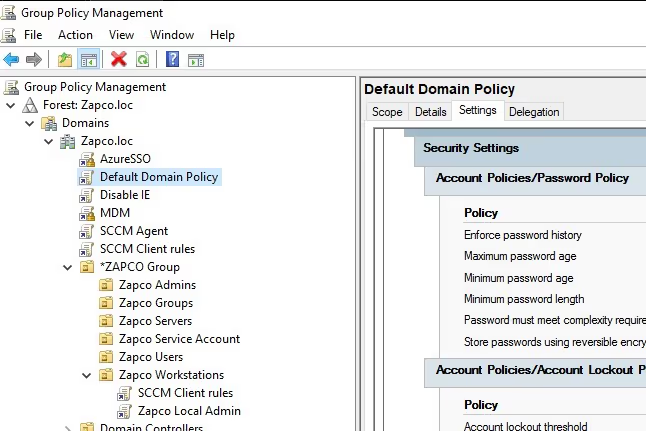
Group policy is crucial for controlling a network, acting like a rulebook for user accounts and computers to ensure security and organization. In Windows, it allows admins to control settings for all computers and users from one central place, ensuring consistency and safety across the network.
When used correctly, it can enhance security, simplify admin tasks, and improve network management. However, careful planning and testing are essential to avoid complications when making changes.
Overall, understanding group policy is vital for IT professionals handling network operations, as it offers powerful tools for maintaining secure and smooth-running Windows networks.In my lab group policy will be utilized in different article.